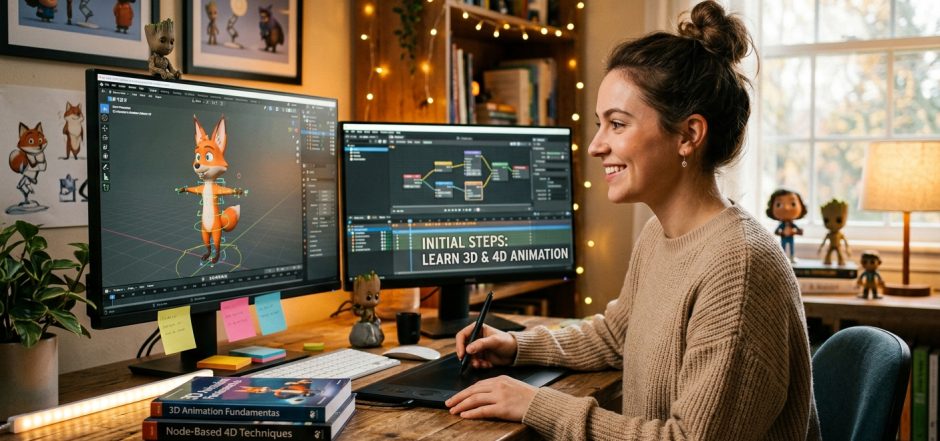
Exploring 4D Animation: What Beginners Need to Know

Exploring 4D animation can be an exciting venture for beginners interested in adding depth and realism to their projects. While 3D animation involves creating objects in three-dimensional space, 4D animation introduces the element of time, allowing for dynamic changes and effects over a sequence. Here’s what you need to know to get started:


🎥 What Is 4D Animation?

In the context of digital animation, “4D” typically refers to 3D animations that incorporate the dimension of time, enabling objects to change, move, or evolve throughout a sequence. This approach is prevalent in motion graphics, simulations, and visual effects, where temporal changes are essential.


🛠️ Getting Started with 4D Animation

1. Choose the Right Software

To begin creating 4D animations, you’ll need software that supports time-based animations. One popular choice is Cinema 4D, known for its user-friendly interface and robust animation tools. Cinema 4D offers features like keyframe animation, procedural animation, and effectors that allow for complex temporal changes without extensive coding. Maxon

2. Learn the Basics of Keyframe Animation

Keyframe animation is fundamental in 4D animation. It involves setting specific values at certain points in time, and the software interpolates the values in between. Understanding how to set and manipulate keyframes will enable you to create smooth and dynamic animations.YouTube

3. Explore Procedural Animation

Procedural animation allows for creating animations based on algorithms and rules, reducing the need for manual keyframing. In Cinema 4D, tools like effectors and the XPresso editor enable procedural control over animations, offering flexibility and efficiency. Maxon

4. Utilize Educational Resources

Numerous tutorials and courses are available to help beginners grasp 4D animation concepts:


🎬 Practical Tips for Beginners

  • Start Simple: Begin with basic shapes and simple animations to understand the software’s interface and tools.
  • Experiment with Timelines: Use the timeline to control the timing and sequencing of your animations effectively.
  • Leverage Community Forums: Engage with online communities, such as the Cinema 4D subreddit, to seek advice, share work, and learn from others.
  • Practice Regularly: Consistent practice will enhance your skills and confidence in creating complex animations.

Embarking on 4D animation opens up a realm of creative possibilities. By understanding the integration of time into your animations and utilizing the right tools and resources, you’ll be well on your way to producing dynamic and engaging content.

Posted in animation | Tagged , , | Comments Off on Exploring 4D Animation: What Beginners Need to Know

Beginner’s Roadmap to 3D Animation: From Concept to Creation

Embarking on a journey into 3D animation can be both exciting and overwhelming. To help you navigate this creative field, here’s a comprehensive beginner’s roadmap that takes you from initial concept to final creation.


🎯 Step 1: Understand the 3D Animation Pipeline

Before diving in, it’s essential to grasp the stages involved in 3D animation:

  1. Concept Development: Brainstorm ideas, create storyboards, and develop characters and environments.
  2. Modeling: Build 3D models of characters, props, and environments using software like Blender or Maya.
  3. Texturing: Apply colors, textures, and materials to your models to make them visually appealing.
  4. Rigging: Create a skeleton for your models so they can move. This is crucial for animating characters.
  5. Animation: Bring your models to life by defining their movements and actions over time.
  6. Lighting and Rendering: Set up lighting to enhance the mood and render the final images or sequences.
  7. Compositing and Editing: Combine rendered sequences, add effects, and edit the final video.Bloop Animation

Understanding this pipeline provides a roadmap for your learning journey.


🛠️ Step 2: Choose the Right Software

Selecting appropriate software is vital. Consider the following options:Reddit+3Wikipedia+3Bloop Animation+3

  • Blender: A free, open-source 3D creation suite that supports the entire pipeline. It’s widely used by professionals and has a supportive community.
  • Autodesk Maya: An industry-standard software known for its powerful animation tools. It offers a comprehensive set of features but comes with a steeper learning curve.
  • Cinema 4D: Renowned for its user-friendly interface and motion graphics capabilities. It’s a great choice for beginners focusing on design and animation.

Start with software that aligns with your goals and budget.


🎨 Step 3: Develop Your Skills

Building a strong foundation is key. Focus on the following areas:

  • Modeling: Practice creating simple objects and gradually move to complex models.
  • Texturing and Materials: Learn how to apply textures and materials to add realism to your models.
  • Rigging: Understand how to create bone structures and control mechanisms for animation.
  • Animation Principles: Study the 12 principles of animation to make your movements more natural and engaging.
  • Lighting and Rendering: Experiment with different lighting setups and rendering techniques to enhance your scenes.

Utilize online tutorials, courses, and community forums to aid your learning.


🎬 Step 4: Create Your First Animation

Apply your skills by working on a simple project:

  1. Storyboard: Sketch out the sequence of events.
  2. Model and Texture: Create the necessary assets.
  3. Rig and Animate: Set up the rigging and animate the movements.
  4. Lighting and Rendering: Illuminate your scene and render the frames.Wikipedia+11Reddit+11Reddit+11
  5. Compositing: Combine the rendered frames, add effects, and edit the final video.

Starting with a short animation helps solidify your understanding of the entire process.


📚 Additional Resources


Embarking on 3D animation requires patience and practice. By following this roadmap and utilizing available resources, you’ll be well on your way to creating compelling animations.

Posted in animation | Tagged , , | Comments Off on Beginner’s Roadmap to 3D Animation: From Concept to Creation

Mastering the Basics: Essential Principles of 3D and 4D Animation for Newbies

Mastering the basics of 3D and 4D animation is crucial for beginners aiming to create compelling and realistic animations. Understanding foundational principles and techniques will set the stage for more advanced work. Here’s a comprehensive guide to essential concepts in 3D and 4D animation.


🎬 Core Principles of 3D Animation

The 12 Principles of Animation, developed by Disney animators Frank Thomas and Ollie Johnston, remain fundamental in 3D animation:Wikipedia

  1. Squash and Stretch: Gives a sense of weight and flexibility to objects.Wikipedia+1Pixune+1
  2. Anticipation: Prepares the audience for an action, enhancing realism.University of Silicon Valley+5Wikipedia+5Wikipedia+5
  3. Staging: Directs the audience’s attention to the most important elements in a scene.
  4. Straight Ahead Action and Pose to Pose: Two approaches to creating movement; the former is spontaneous, while the latter is planned.Adobe
  5. Follow Through and Overlapping Action: Adds realism by showing that different parts of a body or object move at different rates.Wikipedia
  6. Slow In and Slow Out: Makes movement more lifelike by varying the speed of action.Wikipedia
  7. Arcs: Natural actions follow arched trajectories, making movements more realistic.Wikipedia
  8. Secondary Action: Adds depth to the main action, enriching the scene.Wikipedia+1Wikipedia+1
  9. Timing: Refers to the number of frames for a given action, affecting the perception of speed and weight.Wikipedia
  10. Exaggeration: Enhances actions for dramatic or comedic effect.Wikipedia+1Adobe+1
  11. Solid Drawing: Ensures forms feel three-dimensional and consistent.
  12. Appeal: Characters and objects should be interesting and engaging to the audience.

These principles are extensively discussed in resources like Adobe’s animation guide and Bloop Animation’s beginner’s course. Adobe


🧰 Fundamental Techniques in 3D Animation

  • Keyframes and Timelines: Keyframes mark the start and end points of any smooth transition. Timelines help in organizing these frames to create coherent motion.Whizzy Studios
  • Blocking: An initial step where key poses are established to define timing and placement. Wikipedia
  • Rigging and Skeletal Animation: Involves creating a skeleton for a model so it can move. This technique is essential for animating characters and complex objects.

⏱️ Understanding 4D Animation

While 3D animation deals with three spatial dimensions, 4D animation incorporates the element of time, adding temporal changes to the spatial transformations. This is particularly useful in simulations and complex motion graphics. Cinema 4D is a software that facilitates such animations, offering tools for procedural animation and time-based effects. Maxon


🎓 Learning Resources

  • Domestika’s Basic Principles of 3D Animation: An online course that delves into the 12 principles and their application in 3D animation.
  • Visual Don’s Introduction to Cinema 4D: A beginner’s guide covering the essentials of Cinema 4D, including modeling, animation, and rendering. courses.visualdon.co
  • Whizzy Studios’ Tips for 3D Animation Beginners: Offers insights into keyframes, timelines, and foundational principles. Whizzy Studios

📺 Recommended Video Tutorials

To further enhance your understanding, consider watching the following tutorials:

These resources provide visual demonstrations of the concepts discussed, aiding in the practical application of your learning.


By mastering these principles and techniques, you’ll build a solid foundation in 3D and 4D animation, paving the way for more advanced projects and creative endeavors.

Posted in animation | Tagged , | Comments Off on Mastering the Basics: Essential Principles of 3D and 4D Animation for Newbies

Top 10 Tips for Learning 3D Animation from Scratch

Embarking on the journey to learn 3D animation from scratch can be both exciting and challenging. To help you navigate this path, here are ten essential tips to guide your learning process:


🎬 Top 10 Tips for Learning 3D Animation from Scratch

1. Master the 12 Principles of Animation

These foundational principles, introduced by Disney animators Ollie Johnston and Frank Thomas, are crucial for creating believable and engaging animations. They include concepts like squash and stretch, anticipation, and timing. Understanding and applying these principles will enhance the realism and appeal of your animations. Wikipedia+1Frantic – Animation Studio+1

2. Start with Beginner-Friendly Software

Begin with software that is accessible and has a supportive community. Blender, for instance, is a free and open-source 3D creation suite that covers the entire 3D pipeline. It’s widely used by both professionals and hobbyists, making it an excellent choice for beginners. Animation Courses Ahmedabad

3. Practice Regularly

Consistent practice is key to improvement. Set aside dedicated time each day or week to work on animation projects. Even simple exercises can significantly enhance your skills over time. Animation Courses Ahmedabad

4. Study Real-Life Movements

Observing how people and objects move in the real world can provide valuable insights. Pay attention to the nuances of motion, such as weight shifts, timing, and fluidity, and try to replicate these in your animations. Animation Courses Ahmedabad

5. Utilize Online Tutorials and Courses

There is a wealth of online resources available, including tutorials, courses, and forums. Websites like Bloop Animation and CG Spectrum offer structured learning paths for beginners. Bloop Animation

6. Seek Feedback and Critique

Sharing your work with others and receiving constructive criticism can accelerate your learning. Engage with online communities, participate in forums, and be open to feedback to refine your skills. Animation Courses Ahmedabad

7. Break Down Complex Scenes

When tackling complex animations, break them down into smaller, manageable parts. Focus on animating individual elements before combining them into a complete scene.

8. Understand the Entire 3D Pipeline

Familiarize yourself with all stages of the 3D animation process, including modeling, texturing, rigging, animation, lighting, and rendering. A holistic understanding will improve your workflow and collaboration with others.

9. Stay Updated with Industry Trends

The field of 3D animation is constantly evolving. Keep abreast of new tools, techniques, and industry standards by following blogs, attending webinars, and participating in workshops.

10. Be Patient and Persistent

Learning 3D animation is a marathon, not a sprint. Progress may be slow initially, but with persistence and dedication, your skills will improve. Celebrate small victories along the way to stay motivated.


📺 Recommended Video Resource

For a visual overview and additional insights, consider watching the following video:


Embarking on the journey to learn 3D animation is both challenging and rewarding. By following these tips and utilizing available resources, you’ll be well on your way to creating compelling animations. Remember, patience and consistent practice are your allies in this creative endeavor.

Posted in animation | Tagged | Comments Off on Top 10 Tips for Learning 3D Animation from Scratch

Getting Started with 3D Animation: A Beginner’s Guide to Tools and Techniques

Getting started with 3D animation can be an exciting and rewarding journey. Here’s a beginner-friendly guide to help you navigate the tools and techniques involved in 3D animation.


🎨 Essential 3D Animation Software

  1. Blender
    A powerful, free, and open-source 3D creation suite that supports the entire 3D pipeline, including modeling, rigging, animation, simulation, rendering, compositing, and video editing. Blender is widely used by professionals and hobbyists alike, making it an excellent starting point for beginners.
  2. Autodesk Maya
    An industry-standard software known for its advanced features in modeling, animation, and rendering. While it comes with a steeper learning curve and cost, Maya is extensively used in film, television, and game development.
  3. Cinema 4D
    Renowned for its user-friendly interface and powerful motion graphics capabilities, Cinema 4D is a favorite among designers and animators, especially in the advertising and broadcast industries.
  4. Houdini
    A high-end 3D animation software known for its node-based procedural workflow, making it ideal for creating complex simulations like smoke, fire, and fluid dynamics. Houdini offers a free version called Houdini Apprentice for non-commercial use.

🛠️ Key Techniques in 3D Animation

  1. Modeling
    The process of creating 3D objects and characters using various tools and methods. This forms the foundation of your animation.
  2. Texturing
    Applying materials and textures to 3D models to give them color, detail, and realism.
  3. Rigging
    Building a skeleton for 3D models so they can move. This involves creating bones and joints that define how the model deforms.
  4. Animation
    Bringing 3D models to life by creating movement. This includes setting keyframes, adjusting timing, and refining motion.
  5. Lighting and Rendering
    Setting up lights to illuminate your scene and rendering the final image or animation from the 3D scene. Rendering converts your 3D models and animations into 2D images or videos.

📚 Learning Resources


🎥 Visual Learning

For a comprehensive visual overview, check out the following video:


🌱 Tips for Beginners

  • Start Small: Begin with simple projects to build your confidence and understanding.CG Spectrum+1Tripo 3D+1
  • Practice Regularly: Consistent practice helps reinforce learning and improve skills.
  • Seek Feedback: Share your work with others to gain constructive feedback and new perspectives.
  • Stay Updated: The field of 3D animation is constantly evolving. Keep learning about new tools and techniques.

Embarking on the journey of 3D animation is both challenging and rewarding. With dedication and the right resources, you’ll be creating compelling animations in no time!

Posted in animation | Tagged , | Comments Off on Getting Started with 3D Animation: A Beginner’s Guide to Tools and Techniques

Elevating Your Dating Experience: the Allure of Escorts in Utah

Utah, known for its stunning landscapes and vibrant cities, is also gaining recognition for a discreet and sophisticated facet of its dating scene – escort services. As attitudes toward companionship evolve, hiring an escort in Utah is becoming an increasingly popular choice for those seeking a unique and refined dating experience.

One of the distinctive features of escort services in Utah is their ability to cater to a diverse range of preferences and occasions. Whether you’re a local resident looking to add excitement to your routine or a visitor exploring the beauty of the state, Utah’s escorts offer a professional and customizable experience that goes beyond traditional dating norms.

Utah’s escort industry prides itself on discretion and professionalism. Rigorous screening processes ensure that both clients and escorts can engage in their encounters with confidence, prioritizing safety and privacy. This commitment to ethical practices has contributed to the growing acceptance of escort services as a legitimate option for those seeking companionship.

What sets escorts in Utah apart is their adaptability. Whether you’re looking for a charming companion for a formal event, a delightful partner for outdoor adventures, or simply someone to share a quiet evening, escorts in Utah are adept at tailoring their services to meet your specific desires. This versatility allows individuals to curate experiences that suit their preferences, making each encounter unique and memorable.

It’s crucial to recognize that engaging the services of an escort in Utah is a legal and consensual activity. The industry operates within established guidelines to ensure the well-being and satisfaction of all parties involved. By choosing an escort in Utah, individuals can enjoy the benefits of companionship in a safe and regulated environment.

In conclusion, for those seeking to elevate their dating experiences in Utah, the option of hiring an escort opens the door to a world of sophistication and tailored companionship. With a commitment to privacy, professionalism, and adaptability, escorts in Utah provide a unique way to enhance your social life in this captivating state.

Posted in Artworks | Comments Off on Elevating Your Dating Experience: the Allure of Escorts in Utah

Quality and Cheap Escorts in Las Vegas!

Quality and cheap escort services can be provided in Las Vegas! Escort services may have a negative association, but it is just as simple as having an adult friend who will listen to you! There are many asian escorts in las vegas, and it’s up to you to pick the right one for you! So what is an escort? It can be anything you want in a respectful and mutually agreed-upon manner. You start by searching through the extensive directory of stunning models, and then you contact the company that the model is associated with. You’re essentially providing a gratuity for companionship with one or more beautiful women that you hand-pick and select. An escort can be useful for a night or a specified range of dates. That is between you and the company you pick with the best model for you to decide. Unlike a psychiatrist, an escort will provide you a listening ear, a chance to discuss whatever is on your mind, and you will also have all of your adult entertainment needs met and satisfied. Cheap Escorts in Vegas will make sure that you are satisfied and fulfilled and will not look at their clocks waiting for time to pass by. By using a reputable escort service in Vegas, you can make sure that every model you are connecting with is of legal age. The benefits of researching many of the cheap escort services in Vegas is that you can be assured that everything is done legally. This is so that you can be safe and assured that the sexy woman you are going to have with you will not be getting you into trouble! By coming to Vegas, you truly can have an unforgettable experience by finding reputable and cheap escorts in Vegas! It will be a great time!

Posted in Artworks | Comments Off on Quality and Cheap Escorts in Las Vegas!

Stages of making illustrations with 3d animation

Creating illustrations using 3D animation involves several stages to bring your ideas to life. Here’s an overview of the typical stages involved in the process:

  1. Conceptualization and Planning:
    • Define your project’s goals and objectives.
    • Brainstorm and develop a clear concept for your illustration.
    • Create rough sketches or storyboards to outline the visual narrative.
    • Decide on the style, mood, and overall look you want to achieve.
  2. Modeling:
    • Create 3D models of the objects, characters, and elements that will appear in the illustration.
    • Use software like Blender, Maya, or 3ds Max to sculpt and shape your models.
    • Pay attention to details like textures, materials, and lighting properties.
  3. Texturing:
    • Apply textures to your 3D models to give them a realistic or stylized appearance.
    • Adjust parameters like color, roughness, and bump mapping to enhance the surface’s visual quality.
  4. Rigging:
    • If your illustration includes characters or objects with movable parts, you need to rig them.
    • Rigging involves creating a digital skeleton (armature) and assigning control points to allow for movement and posing.
  5. Animation:
    • Animate the elements in your scene to bring them to life.
    • Use keyframes to define the starting and ending positions, and the software will interpolate the frames in between.
    • Pay attention to timing, spacing, and easing to ensure smooth and convincing motion.
  6. Lighting:
    • Set up lighting sources to illuminate your scene appropriately.
    • Adjust the intensity, color, and direction of the lights to create the desired mood and atmosphere.
  7. Rendering:
    • Render your animated scene using the chosen 3D software.
    • This process generates individual frames of your animation based on the settings you’ve chosen.
    • Rendering can be time-consuming, especially for complex scenes, due to factors like lighting and quality settings.
  8. Compositing:
    • Bring together the rendered frames using compositing software like Adobe After Effects or Nuke.
    • Apply additional effects, color corrections, and filters to enhance the final output.
    • Add any 2D elements or effects that couldn’t be achieved in the 3D software.
  9. Post-Production:
    • Edit the final composite to ensure that all elements are synchronized and polished.
    • Fine-tune the overall look, color grading, and visual effects.
  10. Export and Delivery:
    • Export the final illustration in the desired format and resolution.
    • Prepare different versions if needed (e.g., high-resolution for print, web-friendly for online use).
    • Deliver the completed illustration to the intended audience or platform.

Remember that the specific workflow and tools you use may vary depending on your preferences and the nature of your project. The stages mentioned above provide a general framework for creating 3D animated illustrations.

Posted in Artworks | Comments Off on Stages of making illustrations with 3d animation

what is 3D Animation?

3D animation refers to the process of creating moving images in a three-dimensional digital environment. Unlike traditional 2D animation, where images are created on a flat surface, 3D animation involves creating and manipulating objects in a virtual three-dimensional space to produce realistic and dynamic animations.

The process of 3D animation involves several stages:

  1. Modeling: Artists create three-dimensional models of characters, objects, and environments using specialized software. These models are essentially digital sculptures that define the shape, texture, and geometry of the objects.
  2. Texturing: Once the models are created, artists apply textures and materials to them to give them the desired appearance. This can include adding colors, patterns, and surface details to make the models look realistic or stylized.
  3. Rigging: Rigging is the process of creating a digital skeleton for characters or objects. This skeleton, also known as a rig, allows animators to control the movement and deformation of the 3D models as if they were real objects.
  4. Animation: Animators use keyframes and animation techniques to create movement within the 3D environment. They adjust the positions, rotations, and scales of objects over time to achieve the desired motion.
  5. Rendering: Rendering is the process of turning the 3D scene into a final 2D image or sequence of images. This involves calculating lighting, shadows, reflections, and other visual effects to create a realistic or stylized appearance.
  6. Post-Processing: After rendering, additional effects, color correction, and editing can be applied to enhance the final animation’s visual quality.

3D animation is widely used in various industries, including entertainment, gaming, advertising, architecture, and education. It allows for the creation of visually compelling and immersive experiences, making it a crucial tool for storytelling and communication in the digital age. Notable examples of 3D animation include animated movies like “Toy Story,” video games like “Fortnite,” and architectural visualizations used in real estate presentations.

Posted in Artworks | Comments Off on what is 3D Animation?

Childhood Memories of Breaking Shower Doors

I remember when I was a kid, I had broken the shower door by throwing a doll into it. The door was an all glass sliding door and at that time, not a cheap thing to replace. I remember when my mother had to call around to every shop to try and find shower doors in New Jersey, only to find out that only a few places had them. When she did find one, it was like the heavens opened up for her.

To this day, I won’t forget the glass man coming into the bathroom and seeing the glass and looking at me and telling me, “You got a good arm, kid.” and laughing. It made me feel less in trouble about the whole thing. My mom tried as best she could to clean up the glass before he came, so all that was left was the crashed door. He carefully took it off the railing it was on and went outside with it, covering it with a drape so it wouldn’t cut anyone. He came back in with a new door and put that on the rail and slide it back and forth to ensure it worked.

I watched him from the hallway, carefully putting the door in place and watching it slide back and forth. When he saw me, he told me “Throw your doll at this door, let’s see if it’ll break.” I know I didn’t want to break it again so I shook my head no to him. My mom told me “It’s okay, we don’t want another broke door, so we need to make sure this one is real sturdy.” So I chucked the door at the door and closed my eyes knowing it would break. It didn’t. The repair guy told me “It’s a perfectly magic door. Won’t break again!” and I was young and confused. I later learned that my mom and the repair man decided that going with an acrylic door material would be better for the family than a glass door. It was more sturdy and meant less cleaning for her to do! It never broke again.

Posted in Artworks | Comments Off on Childhood Memories of Breaking Shower Doors